 Stickify
Press kit
Facts, words and artwork for writing about Stickify.
Fact sheet
- Name
- Stickify
- What it does
- Turns photos into stickers automatically and adds them to the iPhone’s sticker drawer.
- Developer
- Raiyan “Rai” Asaral (Mohammad Raiyan Asaral), independent developer
- Based in
- Zamboanga City, Philippines
- Platform
- iPhone, iOS 17 or later
- Current version
- 1.0.2, in TestFlight beta testing
- Price
- Free, with optional Stickify Pro through in-app purchase: $3.99 a month, $19.99 a year (with a 1-week free trial) or $29.99 once for lifetime. US prices from the app’s paywall; prices vary by country or region.
- Availability
- Coming soon to the App Store
- Website
- stickify.raiyanasaral.com
- Press contact
- stickify@raiyanasaral.com
Short description
Stickify turns any photo into a sticker automatically and puts it in your iPhone’s sticker drawer, ready to send from the emoji keyboard.
Longer description
Pick a photo or take one, and Stickify does the rest. It uses Apple’s on-device subject lifting to cut out the person, pet or object the moment the photo arrives, with no long-press, and saves the sticker on its own. When a photo has several people, you choose who goes in, or everyone.
Each effect you save becomes its own sticker: Original, Outline and Shadow for free, and Cartoon, Comic, Sketch, Pop Art, Neon, Noir, Vintage and Puffy with Stickify Pro. Framing options zoom in on faces so they stay clear at sticker size, and Touch Up fixes the edges by hand.
Stickify adds its stickers to the iPhone’s own sticker drawer, so they work from the emoji keyboard in Messages, WhatsApp, Messenger and other apps that support iOS stickers. Cut-outs are made on the iPhone, and Stickify has no accounts, analytics, ads or tracking.
App icon


Please don’t change the icon’s colors or shape. iOS rounds the corners itself, so the 1024 px file is square.
Screenshots
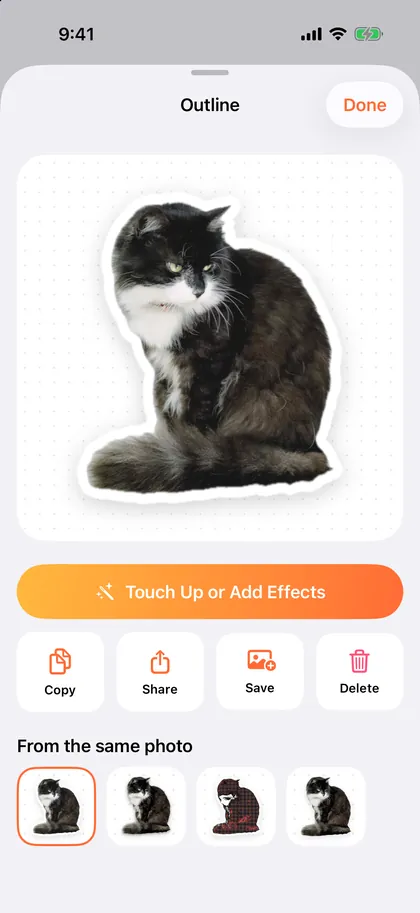 A cat sticker on its own page
PNG, 1206 × 2622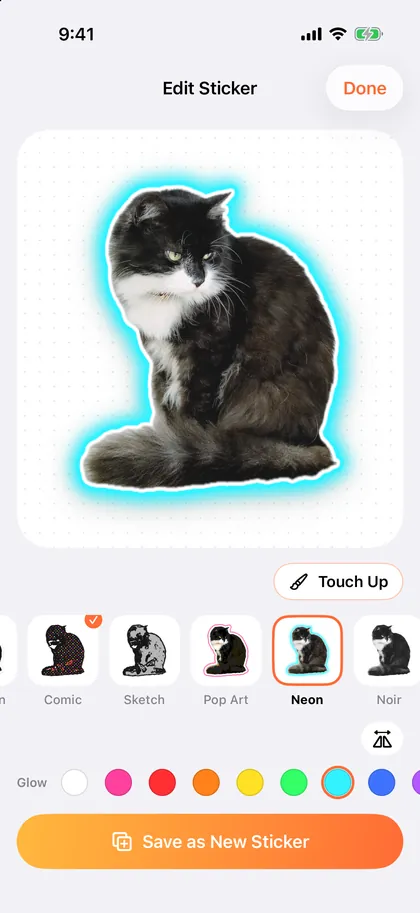 The effects editor
PNG, 1206 × 2622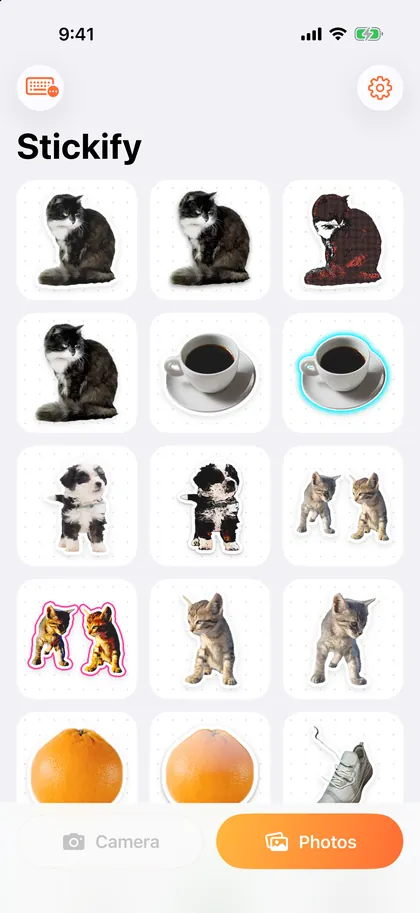 The sticker library
PNG, 1206 × 2622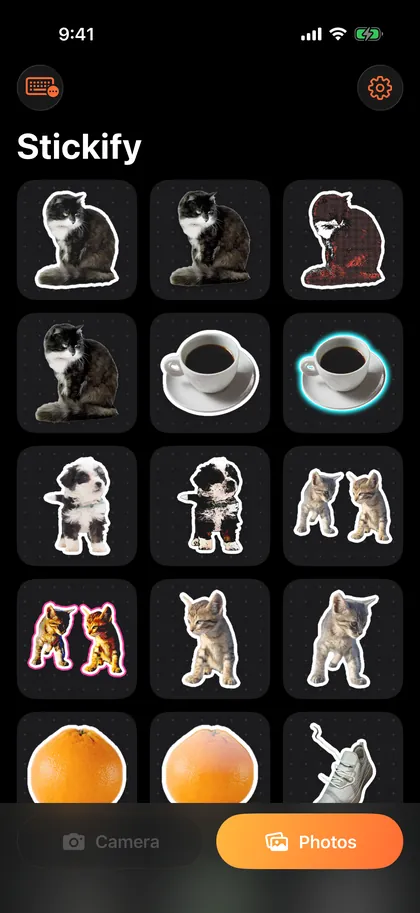 The sticker library, dark mode
PNG, 1206 × 2622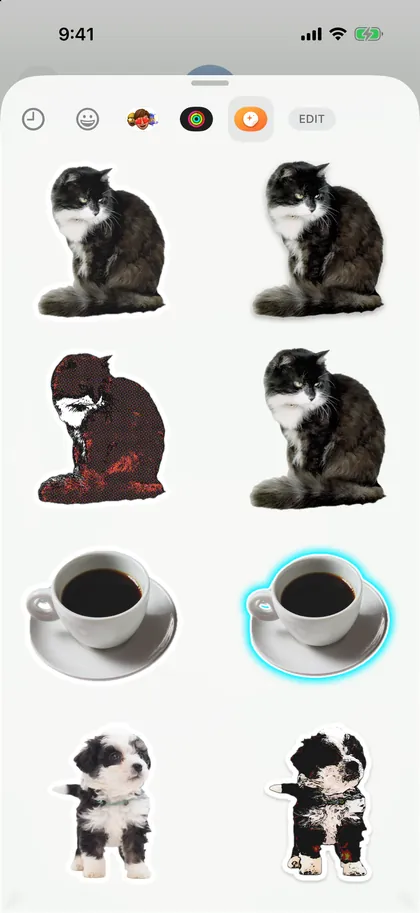 The sticker drawer in Messages
PNG, 1206 × 2622
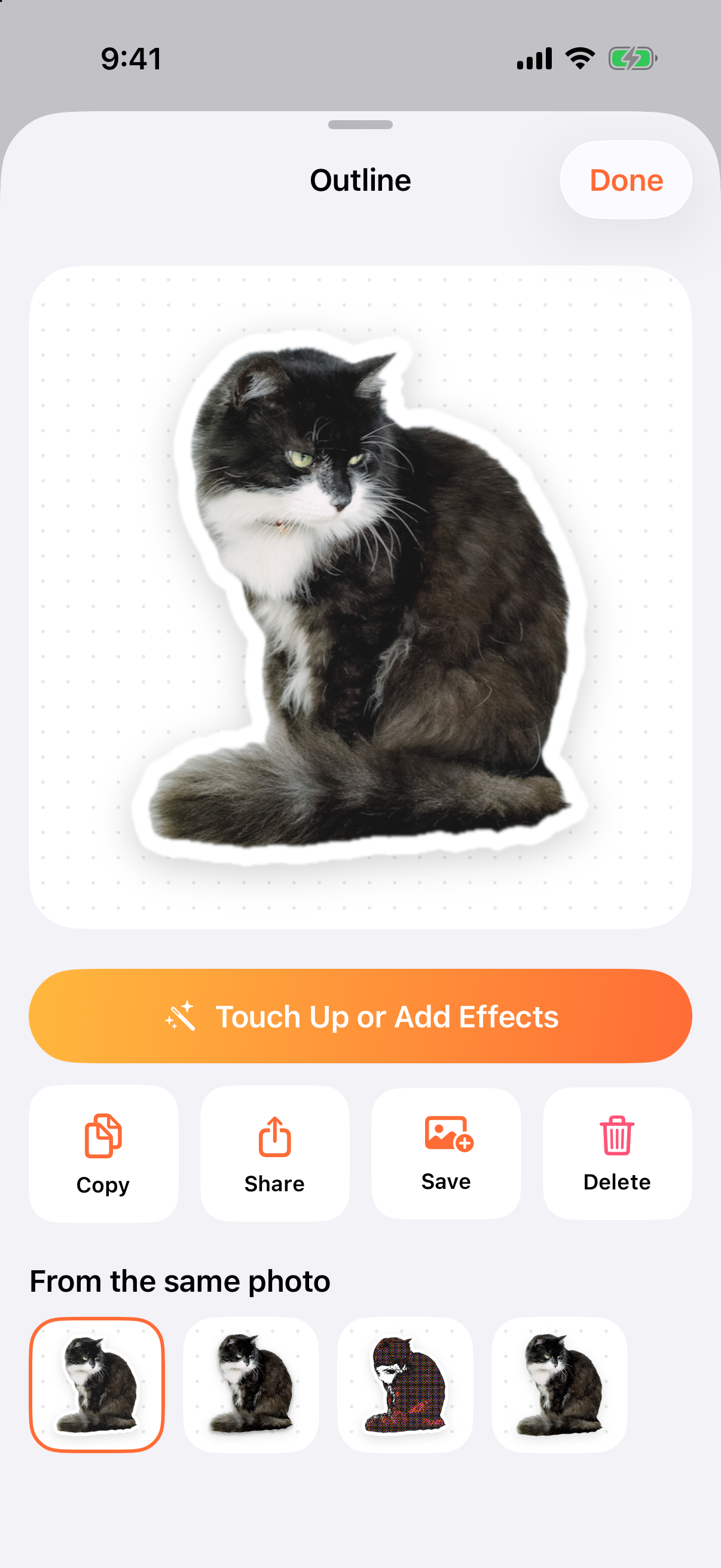
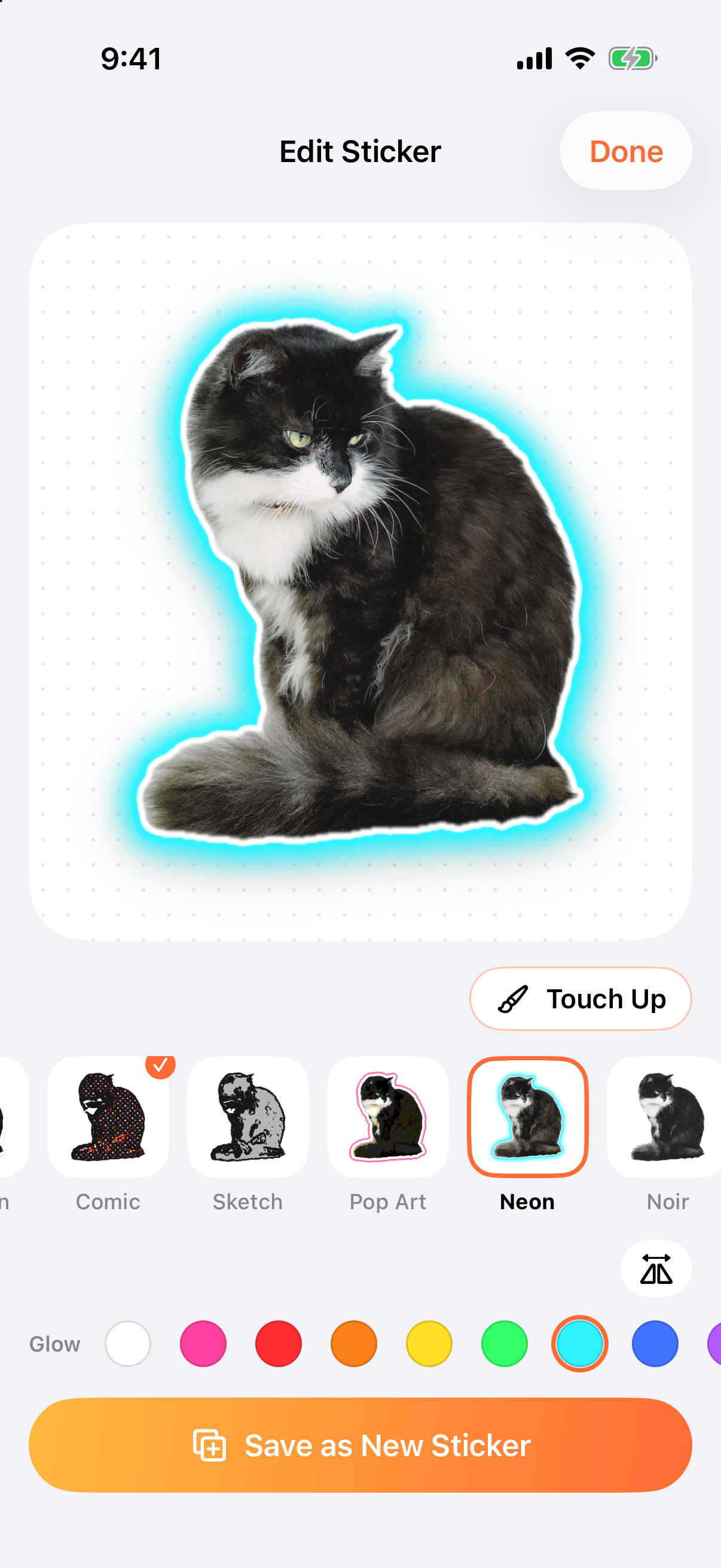
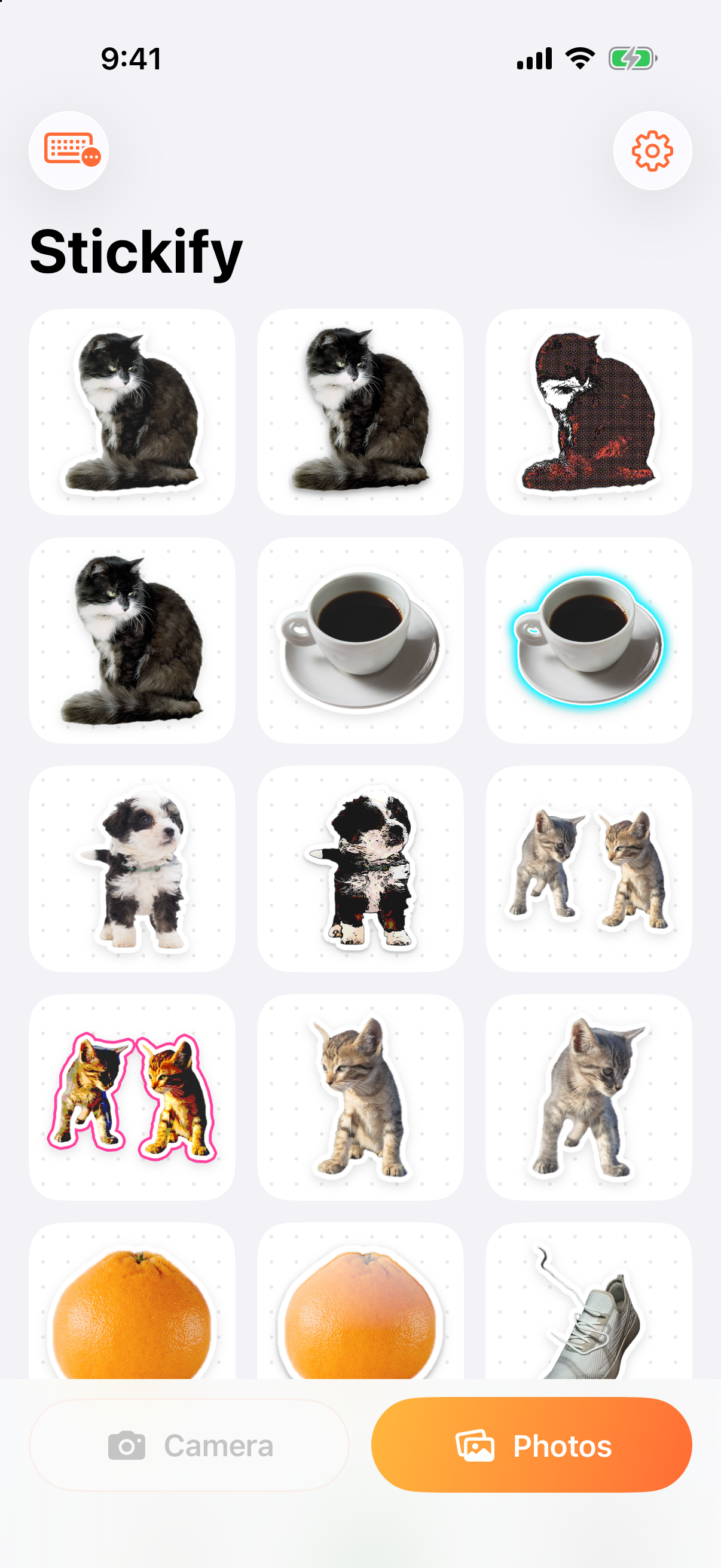
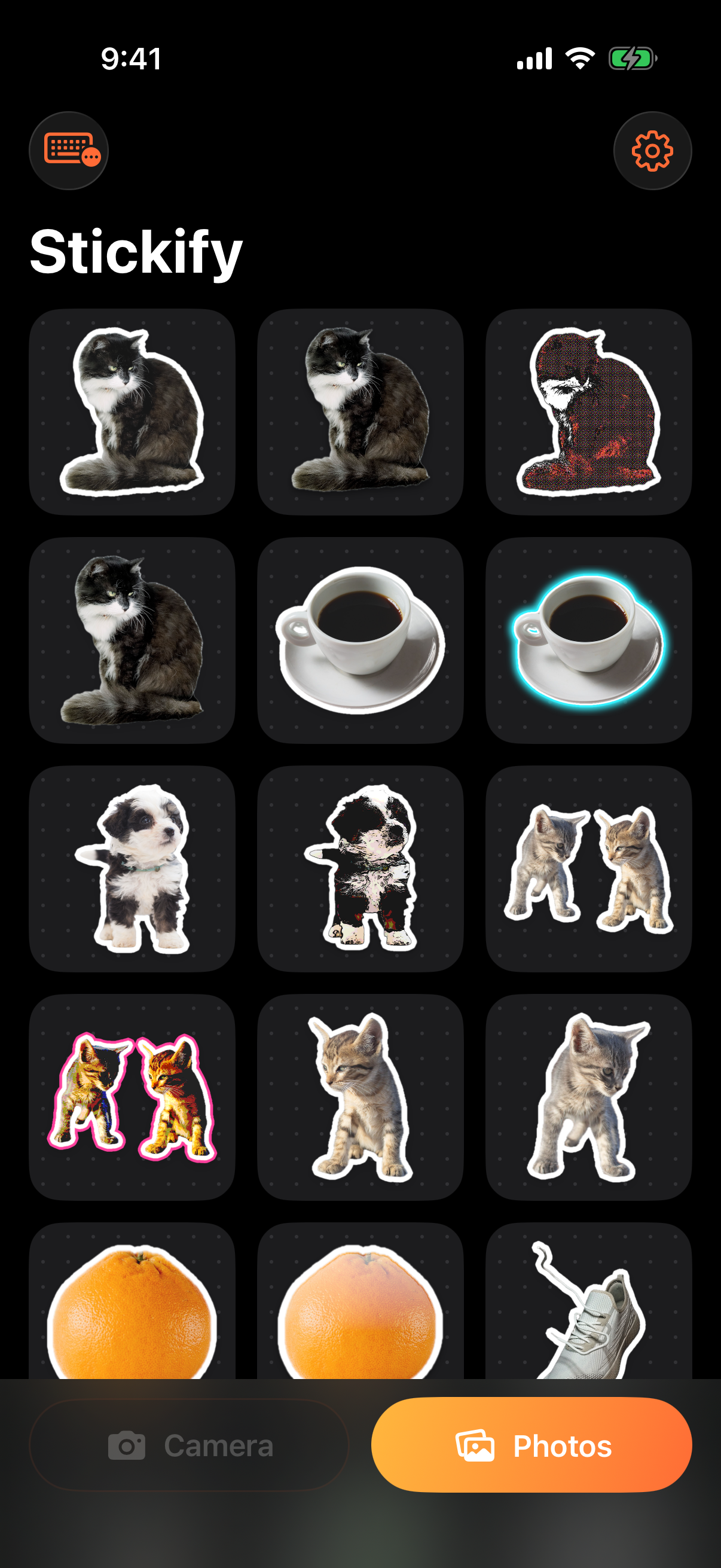
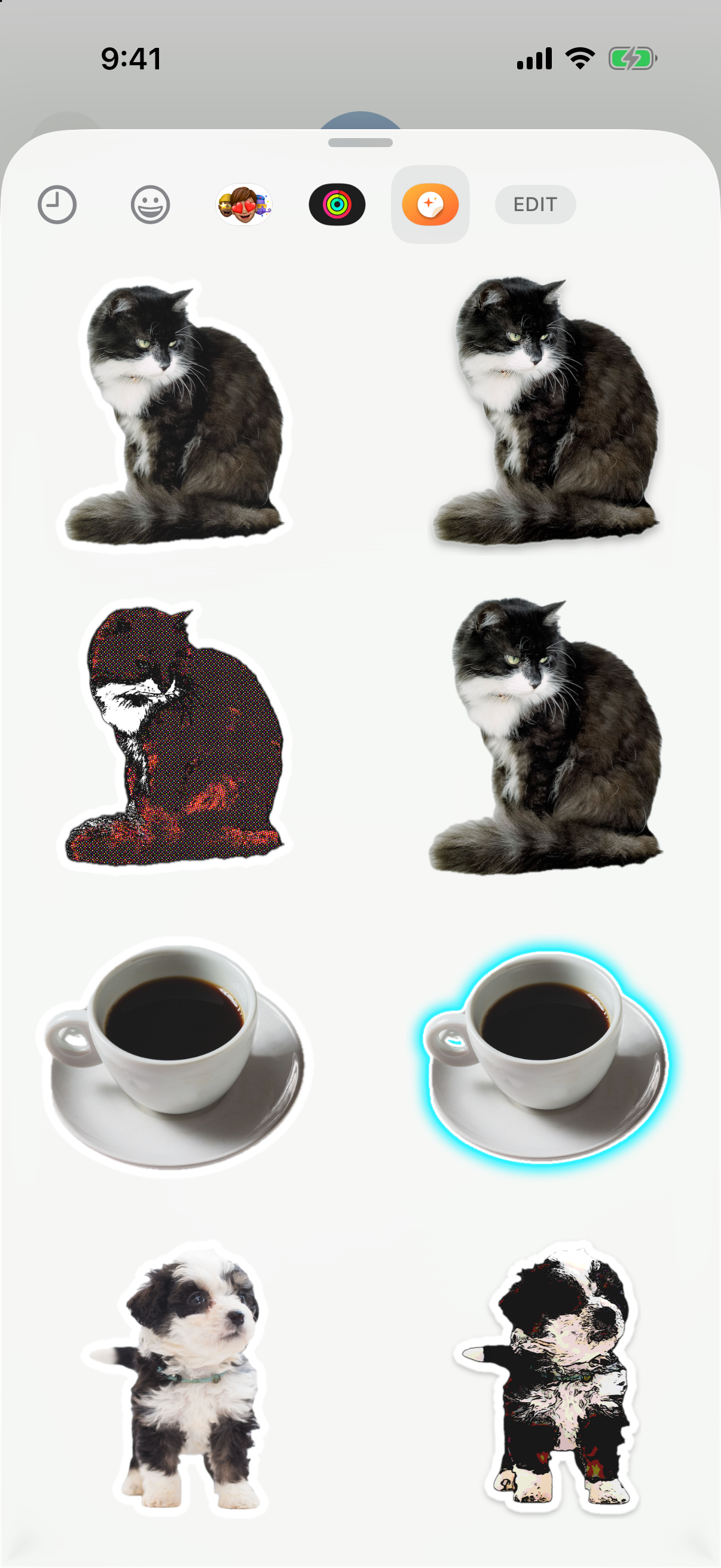
Taken in the iOS Simulator, which has no camera (so the Camera button looks dimmed) and can’t run the cut-out. The stickers in them were made on a Mac with Stickify’s own cut-out and effects code, unchanged, then loaded into the app. Effects can look slightly different on an iPhone.
Sample photo credits
The photos in the screenshots are from Pexels and free to use under the Pexels license. Thanks to:
- Cat: White and Black Cat in Close Up Shot by Alina Skazka
- Coffee: Cup of Coffee on White Background by Márcio Carvalho
- Puppy: Close-Up Photo of Furry Puppy by Poodles 2 Doodles
- Plant: Plant in a Pot by Zoe Tao
- Orange: Orange Fruit on a White Table by Hanna Pad
- Sneaker: Product Shot of a Sports Shoe by Pranay Patel
- Kittens: Brown Tabby Kittens in Close-Up Photography by Aissa Ezzamzami
Brand colors
- Orange #FF6B35
- Amber #FFB83D
- Pink #FF5478
- Peel #FDE3C0